-
The Power of Social Proof: Key Google Reviews Statistics You Should Know
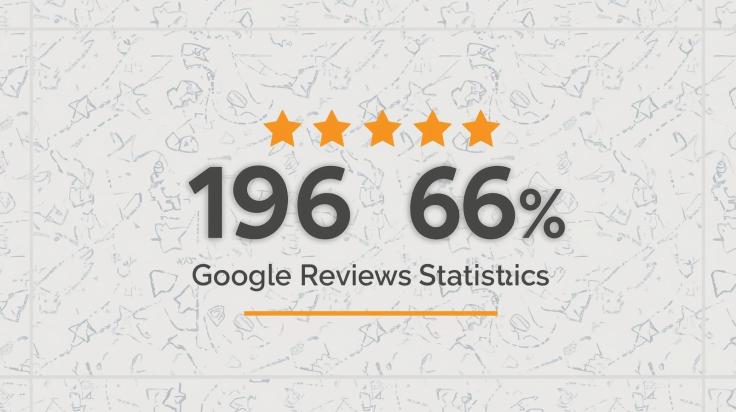
Have you ever searched for a restaurant, hotel, or service online and decided where to go based on reviews? If yes, you’re not alone. Today, reviews are no longer just casual feedback—they are the deciding factor in most purchase decisions. And when it comes to reviews, Google Reviews have become the go-to source for customers worldwide.
For businesses, this isn’t just about reputation—it’s about survival and growth. The power of Google Reviews statistics shows just how important reviews are for visibility, credibility, and sales. In this blog, we’ll explore why reviews matter, the key numbers you should know, and how you can use this social proof to your advantage.
Why Google Reviews Are So Important
Google is not just a search engine anymore—it’s the first stop for nearly every customer journey. When someone searches for a product, service, or local business, they often see reviews right at the top of the page.
Imagine searching for “best coffee shop near me.” The listings that appear first often have more reviews, higher ratings, and active engagement. Customers immediately form an impression based on those numbers. That’s why Google Reviews have become a critical trust signal.
In fact, for many businesses, reviews act as their online reputation. Even if your website is well-designed or your social media pages look professional, people will still trust Google Reviews more because they come from other customers, not the brand itself.
Key Google Reviews Statistics That Prove Their Impact
Let’s look at some numbers that highlight why reviews are essential:
1. Google Is the Top Review Source
Over 60% of people say they check Google Reviews before choosing a business. This makes Google the most-used review platform in the world.
2. Almost Everyone Reads Reviews
Research shows that 90% of consumers read online reviews before making a purchase. That means reviews directly shape buying decisions.
3. Star Ratings Drive Clicks
Businesses with higher star ratings (4.0 or above) enjoy up to 25% more clicks from search results compared to those with lower ratings.
4. Trust Comes With Quantity
Customers expect a business to have at least 40 reviews before they consider it credible. A handful of reviews isn’t enough anymore—volume matters.
5. Reviews Affect Local SEO
Google considers review quantity and quality when ranking businesses in the Local Pack (the map results that appear in searches). More reviews = better chances of being seen.
6. Negative Reviews Aren’t Always Bad
A perfect 5-star rating across hundreds of reviews can look suspicious. Research shows that customers actually trust a business more if it has mostly positive reviews and a few negatives mixed in.
7. Responses Matter
Over 50% of customers expect businesses to reply to their reviews. Engaging with feedback shows you value your customers and can improve your reputation.
8. Mobile Shoppers Rely Heavily on Reviews
More than 60% of mobile users read reviews before making quick decisions, like picking a nearby restaurant or store.
These statistics show that reviews influence both human decisions and Google’s search algorithms.
Why Social Proof Is So Powerful
Social proof is the idea that people look to others when making choices. If many people recommend something, we believe it must be good.
Here’s a simple example: You’re walking down a street and see two food stalls. One is crowded with customers, the other is empty. Without knowing anything else, you’re more likely to trust the busy stall. That’s social proof in action—and online, Google Reviews provide the same effect.
Reviews not only build trust but also reduce the risk customers feel when trying a new business.
Real-Life Example of Reviews in Action
Consider two dental clinics in the same city.
- Clinic A has 15 reviews with an average rating of 3.6.
- Clinic B has 180 reviews with an average rating of 4.5.
Even if both clinics charge the same, most people will choose Clinic B. Why? Because the higher rating and larger number of reviews provide reassurance.
Now imagine Clinic A works on getting more reviews, responds to negative feedback politely, and steadily improves its rating. Within months, it can completely change its reputation and attract more patients.
That’s the power of reviews—statistics translate directly into real-world outcomes.
How Businesses Can Leverage Google Reviews
Knowing the stats is helpful, but the real impact comes from action. Here’s how you can use reviews to your advantage:
1. Actively Request Reviews
Don’t wait for customers to leave reviews. Ask them! A simple follow-up email or message after a purchase can encourage them to share feedback.
2. Make It Easy
Provide direct links to your Google Review page so customers don’t get lost in the process.
3. Showcase Reviews on Your Website
Embedding reviews on your site helps visitors trust you instantly. The easiest way is by using a Google Reviews widget, which automatically pulls reviews and displays them in real-time.
4. Respond to Every Review
A thank-you reply to a positive review or a polite response to a negative one shows you care about customers. This builds loyalty.
5. Monitor Feedback Regularly
Check reviews often to spot trends. If multiple customers mention the same issue, it’s a clear sign of what needs fixing.
6. Stay Consistent
Recent reviews matter more than old ones. Make collecting reviews an ongoing practice, not a one-time effort.
The SEO Advantage of Reviews
One of the biggest hidden benefits of reviews is how they improve search visibility. Google values fresh, user-generated content, and reviews provide exactly that. More reviews mean more signals to Google that your business is relevant, trustworthy, and active.
This can help you:
- Rank higher in local searches.
- Appear in the top three “map pack” results.
- Outperform competitors with fewer reviews.
So reviews aren’t just about reputation—they’re also a growth tool for traffic and visibility.
Future of Google Reviews
As shopping and services continue moving online, the role of reviews will only grow. Voice searches (“Hey Google, find the best pizza near me”) already rely heavily on reviews. AI-powered recommendations will do the same.
In the near future, customers will expect not just reviews, but also fast responses and transparency. Businesses that adapt early will have a huge competitive advantage.
Quick Recap: Key Google Reviews Stats
To sum it up, here are the most important takeaways:
- 60% of consumers check Google Reviews before choosing a business.
- 90% of people read reviews before purchasing.
- A rating improvement from 3 stars to 5 stars can boost clicks by 25%.
- Customers trust businesses more if they have 40+ reviews.
- Responding to reviews improves customer trust and loyalty.
Conclusion
The latest Google Reviews statistics make one thing crystal clear: reviews are no longer just a side note—they’re central to customer trust, online visibility, and business success.
From influencing buying decisions to boosting local SEO, reviews are a powerful form of social proof. They tell potential customers, “Others trust this business, and you can too.”
If you haven’t already, start making reviews a core part of your strategy. Encourage feedback, respond with care, and proudly display reviews on your website. Over time, these small actions can transform your brand reputation and drive consistent growth.
-
Responding to Google Reviews: Best Practices for Business Owners

For many businesses, reviews are more than feedback — they are public proof of credibility. When you show Google reviews on your website, you’re not only highlighting customer experiences but also shaping the perception of future buyers. Still, collecting and displaying reviews is only half the job. Responding thoughtfully to those reviews is what sets trusted businesses apart.
Google reviews appear on your Business Profile, in search results, and on Google Maps. They influence buying decisions, local SEO, and overall brand reputation. Too often, though, businesses focus only on gathering reviews and forget the power of engaging with customers through meaningful responses.
Why Responding to Google Reviews Matters
- Builds trust with potential customers
- Encourages more reviews
- Boosts local SEO performance
- Helps resolve complaints professionally
Best Practices for Responding
Respond Promptly
A quick reply shows attentiveness. Customers appreciate being heard within a few days of posting.
Personalize Each Response
Mention details from the review and, if possible, the customer’s name. This makes your reply feel genuine rather than automated.
Stay Professional and Calm
Even when faced with negative feedback, keep your tone polite. A measured response reflects positively on your business.
Use Review Tools for Efficiency
If you receive a high volume of reviews, consider using a google review widget or a review management tool. These not only help display feedback on your site but also centralize monitoring, so you never miss a comment.
Handling Different Types of Reviews
- Positive reviews: Thank the customer and highlight their compliment.
- Neutral reviews: Acknowledge both praise and concerns, and mention how you’re working to improve.
- Negative reviews: Apologize sincerely, explain how you’ll fix the issue, and invite the reviewer to continue the conversation privately.
Tips to Encourage More Reviews
- Ask customers right after a good experience.
- Provide your Google review link in emails, invoices, or receipts.
- Remind clients that reviews help improve your service.
Common Mistakes to Avoid
- Ignoring reviews altogether
- Copy-pasting generic responses
- Responding emotionally or defensively
- Promising what you can’t deliver
Final Thoughts
Responding to Google reviews is one of the most effective ways to strengthen customer trust and boost your local SEO. Every reply is a chance to reinforce professionalism, show gratitude, and demonstrate that your business listens. By balancing promptness, personalization, and professionalism, you’ll build stronger customer relationships and a more resilient reputation.
-
Shopify vs. Wix vs. Squarespace: Best Way to Display Google Reviews on Each

Google reviews have become one of the most trusted forms of social proof for businesses of all sizes. Visitors often check them before making a purchase or booking a service. For online store owners and website creators, bringing these reviews directly onto your website is one of the best ways to build trust and boost conversions.
In this guide, we’ll compare Shopify, Wix, and Squarespace to see the best ways to integrate Google reviews. Each platform has its own methods, strengths, and limitations. By the end, you’ll know exactly how to bring reviews into your site in a way that matches your brand and helps your business grow.
Why Google Reviews Matter for Your Website
- Build trust quickly: Authentic reviews make new visitors feel confident about your business.
- SEO benefits: Reviews often include natural keywords and can improve local rankings.
- Higher conversions: People are more likely to buy when they see real customer experiences.
- Engagement: Showcasing positive stories makes your site more human and relatable.
Adding Google Reviews on Shopify
Shopify is one of the leading ecommerce platforms. If you sell products online, showcasing reviews is essential to reduce hesitation during checkout.
Options to Add Reviews
- Shopify App Store
- Apps like Judge.me, Rivyo, and specific Google review apps make it easy to integrate.
- They offer customizable layouts such as carousels, grids, or review sliders.
- Many apps allow auto-syncing, so new Google reviews appear on your store automatically.
- Embed with third-party tools
- Services like Elfsight or Tagembed let you generate an embed code.
- You paste this into your Shopify theme or a block.
- This method works well if you want more styling options.
- Manual testimonials
- Copy selected reviews into your product descriptions or a testimonial page.
- Link each one back to your Google Business Profile for credibility.
- While free, this requires regular updates.
Best Practices on Shopify
- Place reviews beneath product descriptions or on your homepage.
- Use moderation settings in apps to filter reviews by star rating.
- Make sure review widgets don’t slow down checkout pages.
👉 If you want to add Google reviews on Shopify, the simplest path is through an app, which saves time and keeps your reviews updated automatically.
How to Show Google Reviews on Wix
Wix is well known for its beginner-friendly drag-and-drop builder. If you run a service-based business or a small shop, adding reviews helps demonstrate credibility.
Options to Display Reviews
- Wix App Market
- You’ll find Google review widgets in the Wix App Market.
- These integrate seamlessly with Wix’s builder and give you design flexibility.
- You can control colors, fonts, and placement without coding.
- Embed custom code
- Wix has an “Embed HTML” feature.
- With a widget from Tagembed, Elfsight, or EmbedSocial, you paste in the snippet.
- This lets you style reviews beyond what basic apps offer.
- Manual blocks
- Copy reviews and paste them as text into your site.
- Add star icons and reviewer initials for authenticity.
- Works fine for smaller websites with a handful of reviews.
Best Practices on Wix
- Place reviews near your pricing or services section for maximum impact.
- Keep fonts and colors consistent with your Wix template.
- Filter out irrelevant or outdated reviews so your feed looks clean.
👉 The easiest way to show Google reviews on Wix is to install a widget from the Wix App Market. This method keeps everything inside Wix’s ecosystem while giving you freedom to style the display.
How to Display Google Reviews on Squarespace
Squarespace is a design-first platform popular among creatives and small businesses. Its modern templates look great, but it doesn’t have a built-in review feed feature. You’ll need a workaround.
Options to Add Reviews
- Third-party widgets
- Services like EmbedSocial, Elfsight, and Tagembed provide code snippets.
- You add them to a Squarespace “Code Block.”
- These widgets often let you match your site’s fonts and colors, so reviews blend in seamlessly.
- Testimonials page
- Create a new page for reviews.
- Copy your best Google reviews manually and paste them as styled text.
- Include a button linking to your full review list on Google.
- Screenshots for authenticity
- Capture actual Google reviews as images.
- Upload them into a gallery or grid layout.
- Combine with short text captions for SEO benefits.
Best Practices on Squarespace
- Add reviews to your homepage in a grid layout or carousel.
- Place a call-to-action button near reviews to encourage conversions.
- Rotate reviews every few months to keep the section fresh.
👉 To display Google reviews on Squarespace, your best bet is a third-party widget. It gives you automation, live syncing, and clean design while staying true to Squarespace’s sleek look.
Comparing Platforms Side by Side
Here’s a quick breakdown of how Shopify, Wix, and Squarespace handle Google reviews:
Platform Easiest Method Strengths Drawbacks Shopify App Store apps or third-party embeds Best for ecommerce, reviews tied to product pages, automation available Apps may add cost and impact load speed Wix Wix App Market or embed code Beginner-friendly, simple drag-and-drop, affordable Fewer advanced moderation features Squarespace Third-party widget via Code Block Stylish, integrates well with templates, great for design-focused sites No native feature, relies on external services Tips for All Platforms
No matter which platform you’re using, a few universal strategies make reviews work harder:
- Use structured data: If your widget supports schema markup, enable it to improve visibility in search results.
- Highlight reviews near CTAs: Place them close to “Add to Cart,” “Book Now,” or “Contact Us” buttons.
- Keep design consistent: Fonts, colors, and widget style should blend naturally with your site.
- Update often: Fresh reviews reassure visitors that your business is active and trusted.
- Provide a review link: Add a button inviting visitors to leave their own review.
Choosing the Best Option
- Go with Shopify if you’re selling products and want reviews connected to product pages.
- Pick Wix if you value simplicity and need something quick to set up.
- Use Squarespace if polished design is your top priority and you don’t mind using widgets for functionality.
-
The Best Reputation Management Tools to Build Trust Online

In today’s digital world, a brand’s reputation can make or break its success. One negative review, an unaddressed customer complaint, or poor visibility in search results can push potential customers away. On the flip side, a strong online reputation builds credibility, attracts new customers, and boosts loyalty.
This is where reputation management tools come in. These platforms help businesses monitor what’s being said about them online, respond quickly to feedback, and highlight positive customer experiences. If you’re looking to strengthen your brand image, here’s a guide to the best reputation management tools you can start using today.
Why Reputation Management Matters?
Before diving into the tools, let’s look at why online reputation management (ORM) is critical:
- First Impressions Count: Most customers search online before making a purchase. A positive brand presence can be the deciding factor.
- Customer Trust: Responding to reviews and engaging with feedback shows transparency and care.
- Crisis Control: Quick responses to negative comments prevent small issues from spiraling.
- Competitive Advantage: A strong reputation helps your business stand out in crowded markets.
With the right tools, you can monitor, manage, and enhance your online presence without being overwhelmed.
The Best Reputation Management Tools in 2025
Here’s a breakdown of some of the most effective tools available today.
1. Taggbox
Taggbox is a powerful reputation management tool that helps brands showcase authentic user-generated content (UGC). By collecting and showing Google reviews, social media posts, and testimonials, Taggbox enables businesses to highlight positive experiences across websites, digital screens, and marketing campaigns.
Key features include:
- Aggregating reviews from platforms like Google, Facebook, and Yelp.
- Creating customizable review widgets for websites.
- Tools to moderate and filter content to highlight the most impactful reviews.
- Advanced analytics to measure the impact of displayed reviews on conversions.
By leveraging UGC, Taggbox not only boosts credibility but also drives customer engagement. It’s especially useful for e-commerce, hospitality, and service-based businesses that rely heavily on trust and testimonials.
2. Podium
Podium focuses on helping businesses manage customer interactions, reviews, and messaging from one central platform. It makes it easy to request reviews via text messages and gather feedback seamlessly.
Features include:
- Text-based review requests.
- Centralized inbox for customer messages.
- Integration with major review sites like Google and Facebook.
- Tools for payments and customer communication.
Podium is particularly useful for local businesses like healthcare providers, auto dealers, and home services looking to grow their online reviews and build stronger connections with customers.
3. Birdeye
Birdeye is an all-in-one reputation and customer experience platform trusted by thousands of businesses. It allows companies to manage reviews, surveys, listings, and customer messaging.
What sets Birdeye apart is its ability to collect reviews automatically, giving businesses consistent and authentic feedback.
Features include:
- Automatic review collection and reminders.
- Social listening for brand mentions across channels.
- Business listing management for consistency across platforms.
- Insights dashboard to track customer sentiment.
Birdeye works well for multi-location businesses and franchises that need centralized reputation management.
4. Yext
Yext specializes in managing business information across online directories, maps, and search engines. A strong presence across these platforms helps ensure customers find accurate and up-to-date information about your business.
Key features:
- Real-time updates to business listings.
- Review monitoring and response tools.
- Analytics on local search performance.
- Integration with voice assistants like Alexa and Siri.
For businesses with multiple physical locations, Yext is invaluable in ensuring consistency and reliability across search results.
5. Reputation.com
Reputation.com (now often branded simply as Reputation) is a comprehensive ORM platform designed for larger organizations. It offers advanced features for monitoring, managing, and analyzing customer feedback across various channels.
Features include:
- AI-powered sentiment analysis.
- Centralized dashboards for multi-location businesses.
- Review response automation.
- Competitive benchmarking to see how your reputation compares.
While it’s a premium solution, its scalability makes it a strong choice for enterprises in healthcare, automotive, and retail.
6. Trustpilot
Trustpilot is widely recognized for its role as a customer review platform. Beyond hosting reviews, it also provides tools to collect, manage, and display feedback to build credibility.
Features include:
- Verified customer reviews for transparency.
- Widgets to display ratings on websites.
- SEO benefits from strong review profiles.
- Analytics for customer sentiment.
Because consumers recognize Trustpilot as an independent platform, having a strong presence here can significantly influence purchase decisions.
7. Sprout Social
Sprout Social is primarily known as a social media management platform, but it also plays an important role in reputation management. It helps brands monitor mentions, track customer sentiment, and engage directly on social channels.
Key features:
- Social listening for mentions across networks.
- Analytics to measure brand perception.
- Tools for responding to customer comments and DMs.
- Scheduling and content management.
For brands where social presence directly impacts reputation, Sprout Social is a strong option.
How to Choose the Right Reputation Management Tool?
Not every business needs the same features. Here are some tips for choosing the right tool:
- Identify Your Goals: Do you want more customer reviews? Better control of listings? Stronger social media monitoring?
- Consider Your Industry: Local businesses may benefit more from Podium, while enterprises might lean toward Reputation.com.
- Budget Wisely: Some tools are more affordable for small businesses, while others are built for large-scale operations.
- Look for Integrations: Make sure the tool works well with your existing systems, like CRM or website platforms.
- Scalability: If you plan to grow, pick a tool that can expand with your needs.
Tips for Maximizing Reputation Management Tools
Even the best tool won’t work if you don’t use it effectively. Here are strategies to get the most out of your investment:
- Respond Quickly: Negative reviews can escalate fast. A timely, empathetic response shows you care.
- Highlight Positive Feedback: Share glowing reviews on your website and social channels.
- Encourage Reviews: Make it easy for happy customers to leave feedback.
- Monitor Regularly: Reputation isn’t static; track it continuously.
- Train Your Team: Ensure customer service and marketing teams know how to use the tools effectively.
Conclusion
Reputation management is no longer a “nice to have” but a necessity for any business that wants to thrive in the digital era. Customers are constantly sharing their experiences online, and those voices directly influence buying decisions. By using the right reputation management tools, businesses can stay informed, respond proactively, and showcase the positive stories that build trust.
The key is consistency: monitoring feedback regularly, engaging with customers openly, and adapting to what you learn. When managed well, your online reputation becomes one of your strongest assets, helping you attract new customers, retain existing ones, and stand out in a competitive marketplace.
-
Best Shopify Apps to Add Google Reviews and Boost Trust

Customer feedback acts as social proof, helping new visitors trust your products and feel confident in their purchase decisions. By choosing the right tools to add Google reviews on Shopify, you can display these reviews clearly, keeping them authentic, engaging, and easy to read.
When used strategically, Google Reviews do more than show opinions—they enhance your brand reputation, encourage conversions, and foster long-term customer loyalty. Leveraging reviews effectively allows your Shopify store to grow steadily while creating lasting trust with every visitor.
Why You Should Add Google Reviews on Shopify?
Before diving into the apps, it’s important to understand why displaying Google Reviews is crucial for your Shopify store:
- Builds Customer Trust: Visitors are more likely to buy when they see real reviews from satisfied customers.
- Boosts Conversions: Positive reviews can directly influence purchase decisions.
- Improves SEO: User-generated content like reviews can help your Shopify store rank higher on Google.
- Enhances Brand Credibility: Showcasing reviews signals professionalism and reliability.
Now, let’s look at the tools that make this easy.
1. Taggbox
Taggbox is a versatile platform that allows you to add Google reviews on Shopify by collecting and embedding user-generated content directly into your store.
Features:
- Aggregates reviews from Google and other platforms.
- Customizable display widgets to match your store’s theme.
- Real-time updates, so new reviews appear automatically.
- Moderation tools to filter out irrelevant content.
Why it’s great: Taggbox is ideal for businesses that want a polished and interactive reviews feed that can boost trust and engagement.
2. Loox
Loox is a popular Shopify app specifically built for visual reviews, allowing you to display ratings, testimonials, and even a Google review badge on your store.
Features:
- Collects photo and video reviews alongside Google reviews.
- Customizable widgets for homepage, product pages, or checkout.
- Automated review request emails to increase submissions.
- Carousel and grid layouts to make reviews eye-catching.
Why it’s great: Loox combines social proof with visuals, making your Shopify store more attractive and trustworthy.
3. Rivyo
Rivyo is another versatile review app that allows you to add Google reviews on Shopify with ease.
Features:
- Supports text, image, and video reviews.
- Customizable review widgets for product pages and homepages.
- Review import from CSV or other platforms.
- Multi-language support for global stores.
Why it’s great: Rivyo is ideal for Shopify stores looking to showcase diverse reviews in a user-friendly format.
4. Tagembed
Tagembed is an excellent tool to showcase Google Reviews on Shopify, perfect for dynamic review feeds.
Features:
- Supports multiple social platforms, including Google.
- Offers widget customization with themes and layouts.
- Mobile-responsive designs for seamless viewing on any device.
- Auto-refresh ensures your latest reviews are always displayed.
Why it’s great: Tagembed is perfect for store owners who want interactive review displays without writing any code, making your store look modern and trustworthy.
5. Fera.ai
Fera.ai focuses on social proof and conversion optimization, combining reviews with other trust signals.
Features:
- Embed Google Reviews directly on your product and homepage.
- Real-time notifications for new reviews.
- Options to show star ratings, review counts, and excerpts.
- Analytics to track engagement and conversions.
Why it’s great: Fera.ai not only displays reviews but also helps convert them into actionable social proof.
6. Judge.me
Judge.me is a feature-rich review app that’s highly popular among Shopify users.
Features:
- Import Google Reviews and display them with widgets.
- Supports product reviews, Q&A, and photo reviews.
- Customizable emails to request reviews automatically.
- Affordable pricing with robust features.
Why it’s great: Judge.me is a cost-effective option for stores of any size, with extensive customization options for displaying reviews.
7. Stamped.io
Stamped.io is a robust platform for collecting and displaying reviews, designed for Shopify merchants looking to build trust and loyalty.
Features:
- Aggregates Google Reviews and other platform reviews.
- Customizable widgets for product pages, homepages, and checkout.
- Loyalty and referral programs integrated with reviews.
- Analytics to measure review engagement and ROI.
Why it’s great: Stamped.io is perfect for merchants who want all-in-one review management combined with loyalty programs.
8. Yotpo
Yotpo is one of the most comprehensive tools for social proof and marketing automation on Shopify.
Features:
- Embed Google Reviews easily with customizable widgets.
- Supports photo and video reviews.
- Advanced analytics to track engagement and sales impact.
- Integrates with email marketing, loyalty programs, and ads.
Why it’s great: Yotpo is ideal for larger stores that want a full-featured review solution integrated with their marketing strategy.
How to Choose the Right App for Your Shopify Store
With so many options, picking the right app depends on your store’s goals:
- Small Stores or Beginners: Judge.me or Rivyo for easy setup and affordability.
- Visual-Oriented Stores: Loox or Taggbox for photo/video review widgets.
- Advanced Features & Automation: Yotpo, Stamped.io, or Fera.ai for integrated marketing tools.
- Dynamic Social Proof Feeds: Tagembed or Taggbox for interactive and customizable widgets.
Consider your budget, desired features, and the type of social proof that will resonate most with your audience.
Tips for Displaying Google Reviews Effectively
Once you’ve added Google Reviews using any of these apps, follow these tips for maximum impact:
- Place Reviews Strategically: Showcase them on the homepage, product pages, and checkout.
- Highlight Top Reviews: Feature reviews that mention quality, service, or fast shipping.
- Use Interactive Widgets: Carousel or grid layouts keep visitors engaged.
- Update Regularly: Ensure your app refreshes reviews in real-time for authenticity.
- Respond to Reviews: Engaging with reviewers shows you value customer feedback.
Conclusion
Integrating Google Reviews into your Shopify store is a smart way to build trust and boost sales. Customer reviews act as social proof, helping visitors feel confident about your products and increasing engagement. The right review app makes it easy to display feedback in an authentic, readable, and attractive way, whether through text, images, or interactive widgets.
When implemented thoughtfully, Google Reviews do more than showcase customer opinions—they enhance your store’s credibility, encourage conversions, and foster long-term loyalty. By leveraging reviews strategically, your Shopify store can grow sustainably while building strong relationships with your customers.
-
Best Tools and Widgets to Display Google Reviews on Wix

In today’s digital world, customer trust is everything. Whether you run a small café, an online store, or a professional service, potential customers often rely on reviews before making a decision. Among all review platforms, Google Reviews stand out as one of the most powerful tools for influencing customer decisions.
If you have a website built on Wix, embedding Google Reviews can be a game-changer. It helps you showcase real customer feedback, boost credibility, and even improve conversions. But how exactly do you add Google Reviews to a Wix site? The answer lies in using the right tools and widgets.
This blog will walk you through the best tools available to display Google Reviews on Wix and why they’re worth considering.
Why Add Google Reviews to Wix?
Before diving into the tools, let’s understand why integrating Google Reviews on Wix is so beneficial:
- Build Trust Instantly – Visitors are more likely to trust a website that shows genuine customer feedback.
- Improve SEO Performance – Fresh and authentic reviews can give your site more keyword-rich content, which helps with search rankings.
- Boost Conversions – Positive reviews act as social proof, nudging visitors to make a purchase or book a service.
- Enhance Engagement – A well-designed reviews widget can keep visitors scrolling and interacting longer.
Best Tools and Widgets to Add Google Reviews on Wix
Here’s a list of some of the most reliable and easy-to-use tools you can use to display reviews on your Wix site.
1. Tagembed
Tagembed is one of the most popular review aggregation tools that makes it simple to integrate Google Reviews into Wix.
- Features:
- Collects and displays Google Reviews automatically.
- Offers customizable widgets with different layouts like grid, slider, and carousel.
- Allows moderation, so you can choose which reviews to display.
- No coding knowledge required.
- Why Choose Tagembed?
It’s beginner-friendly and comes with real-time updates. If a new review appears on Google, it syncs to your website automatically, and you can even highlight it using a google review badge for added visibility.
2. Elfsight Google Reviews Widget
Elfsight provides a professional-looking widget that works seamlessly with Wix.
- Features:
- Multiple templates and layouts to match your website’s design.
- Easy customization for colors, fonts, and styles.
- Option to display reviewer photos and ratings.
- Mobile-friendly and responsive.
- Why Choose Elfsight?
It’s known for its sleek designs and advanced customization options, making it perfect if you want your reviews to blend with your site’s branding.
3. Trustindex Google Reviews Widget
Trustindex is another widely used tool to display reviews directly on Wix websites.
- Features:
- Provides 35+ widget styles and 16+ pre-designed layouts.
- Syncs automatically with your Google Business Profile.
- SEO-friendly widget that can help improve rankings.
- Affordable pricing with a free version available.
- Why Choose Trustindex?
It offers one of the largest collections of widget styles, giving you maximum flexibility.
4. JustReview
JustReview is a lightweight yet effective tool for showcasing Google Reviews.
- Features:
- Collects reviews from Google and other platforms.
- Allows you to display reviews in sliders, lists, or grids.
- Offers a review request feature to gather more feedback.
- Easy to integrate with Wix using embed codes.
- Why Choose JustReview?
Great for businesses that want to manage multiple review platforms, not just Google.
5. Trustmary
Trustmary is designed to help businesses maximize the impact of customer testimonials.
- Features:
- Automatically imports reviews from Google.
- Lets you create testimonial pages or review carousels.
- Conversion-optimized widgets to drive leads and sales.
- Detailed analytics on widget performance.
- Why Choose Trustmary?
It’s best for businesses focused on conversion-driven review displays rather than just design.
6. Widgets for Wix App Market
Wix itself offers a variety of third-party apps and widgets for displaying reviews. While these aren’t always as advanced as external tools, they can work well for beginners.
- Features:
- Basic review displays.
- Some free options are available.
- Direct integration with Wix’s drag-and-drop editor.
- Why Choose Wix Apps?
If you want something simple and built-in, Wix apps are a good starting point.
Things to Consider When Choosing a Google Reviews Tool
When picking the right widget or tool, here are a few factors to keep in mind:
- Ease of Use – Look for tools with simple embed codes or integrations.
- Design Options – Choose widgets that can be customized to match your branding.
- Pricing – Some tools offer free versions, but advanced features may require a subscription.
- Moderation Control – Being able to filter out negative or irrelevant reviews is important.
- Mobile Responsiveness – Ensure the widget looks good on all devices.
How to Add Google Reviews to Wix
While each tool has slightly different steps, the general process is usually:
- Sign Up for a Tool – Register with platforms like Tagembed, Elfsight, or Trustindex.
- Connect Google Account – Link your Google Business Profile to fetch reviews.
- Customize Your Widget – Choose layout, colors, and styling options.
- Copy Embed Code – Once customized, copy the provided code.
- Paste into Wix – Use Wix’s HTML embed block to insert the code into your site.
- Publish and Test – Save changes and check how the widget looks on live pages.
The entire process usually takes less than 10 minutes with most tools.
Benefits of Using Google Reviews Widgets on Wix
The benefits of Google Reviews on your Wix site go far beyond design—they can directly influence your business growth and overall success:
- Increases Customer Confidence – A glowing testimonial can sometimes do more than a sales pitch.
- Encourages More Reviews – Visitors may be encouraged to leave their own feedback when they see others doing it.
- Strengthens Brand Reputation – Showcasing positive feedback signals that you value transparency.
- Improves Local SEO – Search engines often prioritize businesses with more reviews.
- Adds Professional Appeal – With design-friendly widgets, reviews look polished and trustworthy.
Final Thoughts
Displaying Google Reviews on your Wix website is one of the simplest ways to build credibility and trust. With tools like Tagembed, Elfsight, Trustindex, JustReview, and Trustmary, you don’t need to be a developer or designer to make it happen. These tools offer customizable, responsive, and SEO-friendly widgets that can significantly improve your site’s engagement and conversions.
So, whether you’re running a small local shop or an online business, embedding Google Reviews on your Wix website is a must. Pick a tool that fits your budget and design needs, and watch how customer feedback transforms into your biggest marketing asset.
-
Google Reviews API: A Simple Guide for Beginners

The Google Reviews API helps you fetch customer reviews from your Google Business Profile. If you want to display customer reviews on your website, the API or a Google Reviews widget can help you do that easily. This guide will explain what it is, how to get it, how to use it, and some simple tips for your website.
What is the Google Reviews API?
The Google Reviews API is a tool that allows you to access public customer reviews for your business listed on Google Business Profile (formerly Google My Business). With this API, you can pull in Google reviews including ratings, comments, and review dates directly into your website or app.
But here’s the catch: Google doesn’t offer a public, dedicated API just for Google reviews. Instead, reviews come as part of the Google Business Profile API, which you need to enable in Google Cloud Console and verify with your Google Business account.
Why Use the Google Reviews API?
Using the Google Reviews API (or a Google Reviews widget that connects with it) has several benefits:
- 🌟 Showcase positive feedback on your site
- 📈 Build trust with new customers
- 💬 Display real-time reviews
- 🧩 Integrate Google reviews with your design or app
For businesses, reviews act like online word-of-mouth. They can influence a buying decision within seconds.
How to Get Access to Google Reviews API
To get access to your reviews via API, follow these steps:
1. Set up Google Cloud Project
- Visit https://console.cloud.google.com
- Create a new project.
- Give it a name (like “My Business Reviews”).
2. Enable the Google Business Profile API
- In the Cloud Console, go to APIs & Services > Library
- Search for Google Business Profile API
- Click Enable
3. Set Up OAuth 2.0 Credentials
- Navigate to APIs & Services > Credentials
- Click Create Credentials > OAuth Client ID
- Choose “Web Application”
- Add redirect URIs if needed
- Note down the Client ID and Client Secret
4. Connect with Your Business Account
- You must have a verified Google Business Profile.
- The API can only pull reviews from your own business locations.
- You will need to authorize the app to read reviews using OAuth.
Displaying Reviews on Your Website
You can display these fetched reviews using custom code or through a Google Reviews widget.
1. DIY with JavaScript
If you’re comfortable with code, you can:
- Store reviews in a database
- Use JavaScript or React/Vue to display them
- Add filters (e.g., only show 4 or 5-star ratings)
2. Use a Google Reviews Widget (No Code)
If coding isn’t your thing, try using tools like:
- Tagembed Google Reviews Widget
- Elfsight Google Reviews Plugin
- EmbedSocial
- Trustindex
- WidgetPack
Tagembed, for example, provides an easy-to-use Google Reviews widget that:
- Requires no coding
- Works with WordPress, Shopify, and more
- Allows customization (design, filters, layouts)
Google Reviews Widget vs API: Which is Better?
Feature Google Reviews API Google Reviews Widget Coding Required Yes No Control & Flexibility High Medium Design Templates No Yes Maintenance Manual Automatic Ease of Setup Harder Easier If you want more control, use the API. If you want quick setup, go with a Google Reviews widget.
Tips for Using Google Reviews on Your Website
Here are some simple tips to make the most out of your reviews:
✅ Show Top Reviews Only
Display 4- and 5-star reviews for first-time visitors to make a good impression.
✅ Keep It Updated
Make sure your reviews are fresh. You can set up a cron job or auto-sync using tools.
✅ Match Your Branding
Customize the widget or design so it blends with your website.
✅ Use Review Schema
Add review schema markup so search engines show ratings in search results (rich snippets).
✅ Combine with Other Reviews
You can mix Google reviews with Facebook, Yelp, or TripAdvisor using tools like Tagembed or EmbedSocial.
Limitations of the Google Reviews API
- 🚫 Only works for your own business
- ⚙️ Requires technical setup
- 📉 No access to competitor reviews
- ⏳ Rate limits apply
- 🔐 Requires OAuth authorization (can be tricky for beginners)
That’s why many small businesses prefer using a Google Reviews widget over setting up the API.
Alternatives to Google Reviews API
If the Google API feels too technical, here are some alternatives:
- Tagembed – Free and premium plans, easy integration, supports many platforms.
- Elfsight – No coding needed, works with drag-and-drop.
- Trustindex – Ready-made templates and plugins for websites.
- JustReview – Combines reviews from multiple platforms.
Conclusion
The Google Reviews API is a powerful way to pull reviews from your Google Business Profile and show them on your website. It requires some setup, coding, and authorization but gives you full control.
For those who prefer an easier route, tools like Tagembed’s Google Reviews widget make it simple to display customer reviews in just a few clicks — no code needed.
Whether you’re tech-savvy or not, displaying Google reviews is a must for building credibility and trust online. So pick the method that suits your skills and start showcasing your happy customers today!
-
How to Add Rating Schema on the Website (Beginner-Friendly Guide)

Want your website to stand out in Google search results? One smart and simple way to do it is by adding rating schema. You might’ve seen search results that show stars under the title. That’s rating schema at work!
If you’re a business owner, blogger, or website manager, this guide will walk you through how to show rating schema on your website—no coding degree required!
We’ll also show you how using tools like a Google Reviews Widget can help boost your website’s trust, visibility, and SEO.
What is Rating Schema?
Rating Schema is a type of structured data or “schema markup” that tells search engines that your content includes a rating—usually shown in stars (⭐️).
This data helps Google and other search engines display rich snippets, which are enhanced listings that include things like star ratings, reviews, product prices, and more.
Example:
vbnetCopyEdit
Title: Best Coffee Shops in New York ★★★★☆ (4.6 rating from 320 reviews)
Why Add Rating Schema?
Here are the benefits of adding rating schema to your website:
- Increased visibility in search results
- Higher click-through rates (CTR)
- Builds trust and credibility
- Provides valuable information to users
- Boosts your overall SEO performance
If you’re already displaying customer ratings using a Google Reviews Widget, adding schema markup helps pass that data to search engines.
Types of Rating Schema You Can Use
There are several types of rating schema, depending on what kind of content or business you have:
- Product – For eCommerce sites selling products.
- Local Business – For restaurants, salons, clinics, etc.
- Service – For professionals like lawyers, consultants, or tutors.
- Software Application – For SaaS platforms or apps.
- Course, Book, Movie – For content reviews.
We’ll focus on LocalBusiness and Product, as these are most common.
Step-by-Step Guide: How to Add Rating Schema
Step 1: Collect Ratings and Reviews
First, make sure your business has real customer reviews. If you’re using a Google Reviews Widget, you’re already on the right track. These widgets help display Google reviews directly on your website in a clean and interactive way.
You can use tools like:
- Taggbox or Tagembed (both offer Google Reviews Widgets)
- EmbedSocial
- Elfsight
These tools not only make your website look better, but they also allow you to collect and showcase reviews that can be marked up with rating schema.
Step 2: Choose Your Markup Type
You can implement rating schema using:
- JSON-LD (recommended by Google)
- Microdata
- RDFa
JSON-LD is the easiest and cleanest to use. You can paste it in the
<head>section or directly before the closing</body>tag of your page.
Step 3: Generate the JSON-LD Code
Let’s say you own a bakery. Here’s a basic JSON-LD code you can customize:
jsonCopyEdit
<script type="application/ld+json"> { "@context": "https://schema.org/", "@type": "LocalBusiness", "name": "Sweet Treats Bakery", "image": "https://example.com/logo.jpg", "address": { "@type": "PostalAddress", "streetAddress": "123 Cake Lane", "addressLocality": "Dessertville", "addressRegion": "NY", "postalCode": "10001", "addressCountry": "US" }, "aggregateRating": { "@type": "AggregateRating", "ratingValue": "4.8", "reviewCount": "234" } } </script>Fields Explained:
- @type: Defines the kind of content (e.g., LocalBusiness, Product)
- name: Your business or product name
- ratingValue: The average rating
- reviewCount: Total number of reviews
- image & address: Additional details for local SEO
Step 4: Add the Code to Your Website
Depending on how your website is built:
- WordPress: Use a plugin like “Insert Headers and Footers” or add it to your theme’s header.php file.
- Shopify: Use the theme editor to add the code in theme.liquid or via an app.
- HTML Site: Just paste it directly before the closing
</body>tag.
You can also insert it via tag managers like Google Tag Manager, but that’s optional for basic use.
Step 5: Validate Your Schema
Use the Rich Results Test by Google:
https://search.google.com/test/rich-resultsJust paste your page URL or code snippet and it’ll show if Google can read your rating schema correctly.
You can also try the Schema Markup Validator by Schema.org:
Bonus Tip: Use a Google Reviews Widget with Schema Support
Some Google Reviews Widget tools automatically include schema markup when you embed them. This makes the process even easier.
Look for these features when choosing a widget tool:
- Easy integration (WordPress, Shopify, Wix, etc.)
- Supports AggregateRating schema
- Auto-updates with new reviews
- Allows customization (design, layout, filters)
Taggbox, for example, allows you to embed your Google reviews and includes schema-ready code. This gives your website both visual appeal and SEO advantages.
Common Mistakes to Avoid
- ❌ Fake Reviews: Never use made-up ratings. It violates Google’s policies.
- ❌ Missing Fields: Always include both
ratingValueandreviewCount. - ❌ Wrong Placement: Don’t add the code on irrelevant pages (e.g., About Us)
- ❌ Duplicate Markup: Avoid using different schema formats on the same page (stick to JSON-LD).
How It Helps Your Website
Let’s say you run a local service business and embed your client reviews using a Google Reviews Widget. When you combine that with rating schema, Google is more likely to show rich results with your:
- ⭐️ Star ratings
- 📍 Local address
- 💬 Review count
This leads to:
- More clicks from search engines
- Higher trust from visitors
- Better engagement and conversions
Final Thoughts
Adding rating schema is one of the simplest and most effective ways to improve your website’s presence on Google. You don’t need to be a developer or SEO expert to get it done.
Just follow these steps:
- Collect real reviews
- Use a Google Reviews Widget
- Add JSON-LD schema
- Validate your markup
- Monitor results
It’s a small effort that can bring big results!
-
Tips to Increase Traffic of Google Business Profile

Having a strong online presence is crucial for local businesses, and one of the best tools for this is your Google Business Profile (formerly Google My Business). If you’re looking to increase traffic of Google Business Profile and attract more local customers, this blog will walk you through simple yet effective tips. We’ll also show you how using tools like a Google reviews widget can help boost engagement and trust.
How can the traffic of Google Business Profile be increased?
1. Complete Your Google Business Profile
Start by ensuring your Google Business Profile is 100% complete. Add your business name, address, phone number, website, hours, and categories. Upload high-quality photos of your store, products, team, and more. A complete profile not only helps you rank higher in local searches but also builds trust with potential customers.
A complete profile makes your business more discoverable and appealing to potential customers. Google prioritizes complete and optimized profiles in search results. Double-check that your business hours are accurate and include holiday hours to avoid customer confusion. Use the description section to highlight what sets your business apart, and make sure your business categories are precise. The more accurate your information, the better Google can match your profile with user searches.
2. Use the Right Keywords
Include relevant keywords in your business description, services, and posts. Think about what your customers are searching for. For example, if you run a bakery, include terms like “best cupcakes in [your city]” or “birthday cakes near me.”
Use keyword research tools or Google’s auto-suggestions to identify popular search terms in your industry. Incorporate these keywords naturally into your profile’s business description, services, and posts. Avoid keyword stuffing—focus on readability and relevance. Also, regularly update your profile with seasonal or trending keywords to stay relevant.
3. Encourage Customer Reviews
Reviews play a huge role in building credibility. Ask happy customers to leave reviews on your profile. Respond to every review—good or bad—to show you care. More reviews can lead to higher rankings and more clicks.
Positive reviews not only influence potential customers but also signal to Google that your business is trustworthy and active. Create simple review request templates for emails or messages to make it easy for customers to leave feedback. Incentivize reviews (without violating Google’s guidelines) by offering small perks like discounts or thank-you notes. Responding to negative reviews with empathy can also turn bad experiences into positive impressions.
4. Add a Google Reviews Widget to Your Website
Adding a Google reviews widget to your website allows visitors to see real customer feedback directly on your homepage or service pages. This not only builds trust but also encourages users to visit your Google Business Profile to read more reviews or leave their own. This cross-platform visibility can help increase traffic of Google Business Profile significantly.
Displaying recent and positive reviews can also improve your website’s SEO and dwell time, encouraging more engagement and conversions. A Google reviews widget acts as live proof of your business’s quality and customer satisfaction. Make sure the widget is mobile-friendly, attractive, and positioned strategically on your site—such as near call-to-action buttons or contact forms.
5. Post Regular Updates
Google allows you to post updates like events, promotions, or product launches. Regular posts show that your business is active and engaged. This can also help with SEO and improve your visibility in local searches.
Post updates at least once a week to keep your profile fresh. Use eye-catching visuals and include calls-to-action like “Call Now,” “Learn More,” or “Order Online.” Promote seasonal offers or community involvement to make your business feel relatable. Google posts are visible directly in search results, giving users an instant reason to click on your profile.
6. Add Products and Services
Clearly list your products or services in the designated section. Add descriptions, pricing, and images. This gives users more information without needing to leave your profile, keeping them engaged and increasing the chance of conversion.
Make sure each service or product listing includes a brief yet informative description with relevant keywords. If possible, add links that direct users to your website or specific landing pages. This not only keeps users engaged but also creates more pathways to convert viewers into customers. Regularly audit and update your product/service listings to reflect current offerings.
7. Use High-Quality Images
Photos help people see what your business is all about. Post images of your storefront, team, happy customers, or even behind-the-scenes shots. Regularly updated images can lead to more profile views.
High-quality visuals create a strong first impression. Use a mix of wide-angle shots, close-ups, and action photos. Showcase different aspects of your business—interiors, exteriors, staff, and special events. Image captions and metadata can also include keywords to help with SEO. Try to upload fresh images every month to signal activity and authenticity.
8. Enable Messaging
Turn on the messaging feature so customers can contact you directly from your Google profile. Respond quickly to questions or requests—it shows you’re responsive and eager to help.
This feature can significantly improve customer engagement and satisfaction. Consider setting up quick replies or auto-responses for common questions to speed up communication. Keep your tone friendly and professional, and monitor messages daily. A quick response rate can improve customer trust and lead to higher conversion rates.
9. Monitor Insights and Adjust
Use Google Business Profile Insights to track how customers find your business, what actions they take, and what kind of content works best. Use this data to refine your approach and grow your visibility.
Insights can help you understand user behavior like where your customers are coming from, what keywords they use, and which photos or posts drive the most engagement. Use this information to guide future content and profile optimizations. Try experimenting with different types of posts and see what resonates most with your audience.
10. Share Your Profile Link
Make it easy for customers to find and review you. Share your Google Business Profile link on your website, email signature, and social media accounts. The more visibility you create, the more traffic you’ll drive.
Create QR codes for printed marketing materials like flyers, receipts, and posters that link to your profile. Include review callouts in newsletters and email campaigns. Collaborate with partners or local influencers to share your profile and reach new audiences.
Final Thoughts
To increase traffic of Google Business Profile, focus on consistency, engagement, and visibility. Use tools like a Google reviews widget to connect your website with your profile, encourage reviews, and share updates regularly. Small efforts made consistently can make a big difference in how people discover and engage with your business online.
-
How to Add Star Rating on Google Search Results: Step-by-Step Guide
Have you ever come across a search results page that shows a star rating just below the website link? These star ratings are a source of great motivation to click on your website and also serve to validate your website, which is referred to as Google star ratings. If you want to know how to add star rating on Google search results, you have come to the right article!
Display star ratings in search results by applying using Google review widgets or other means. This article will guide by different methods to add star rating on Google Search to make it for you.
Understanding Google Star Ratings
Before jumping to how we implement it, it is important to understand the concept of Google star ratings and how they work.
- What are Google star ratings?
They appear as review ratings under a search result snippet, thus helping users determine the content’s trustworthiness. - How do they show up?
Google obtains rating data from structured data markup, Google review, or other third-party review platforms. - Why would you add star rating?
Websites with star ratings have more CTR and traffic and, therefore, better SEO rankings.
The above elucidation would assist you in implementing the correct approach for adding star rating to your search results.
Eligibility for Star Ratings in Google Search
Google star ratings are not applicable to all sites. The conditions that qualify any site for such kinds of ratings include:
1. Type of Content: This star rating is only limited to some products, services, recipes, software, local businesses, and articles.
2. Schema Validity: Make sure that the schema markup for your product is set up correctly. Otherwise, Google will not be able to understand that your ratings are.
3. Real Reviews: Displaying fake reviews or spamming rating practice will deny you the privilege to showcase star ratings.
4. Following Google’s Terms: Ensure that your website is compliant with Google’s guidelines about structured data.
Making an effort to follow all these will thus improve the chances of displaying the Google star ratings.
3. Methods to Add Star Rating on Google Search Results
A. Using Tagbox WordPress Plugin
Another effective method to add star rating is by using the Tagbox Plugin. This tool helps websites showcase user-generated content and customer reviews with star ratings.
How to Use Tagbox Plugin for Star Ratings
- Install Tagbox Plugin – Add the Tagbox plugin to your WordPress or website platform.
- Collect User Reviews – The plugin pulls ratings from various sources, including Google and social media.
- Customize Display Options – Choose how and where the star ratings appear on your website.
- Embed the Reviews – Integrate them into relevant pages to boost credibility and engagement.
- Monitor and Update – Keep your reviews fresh and relevant to maintain visibility in search results.
Tagbox Plugin enhances website aesthetics while ensuring Google recognizes star ratings, improving search rankings and click-through rates.
This approach makes it easy for non-technical users to add star rating effortlessly.
B. Using Google Review Widget
A Google Review Widget is another excellent way to add star rating to your website and enhance credibility.
What is a Google Review Widget?
Google Review Widget is a way to insert Google reviews into your website and, in turn, making it simple for the users to see genuine ratings.
How to Add Google Review Widget to website
- Select the Google Review Widget Tool Therefore, one of the tools available for integrating review is Tagbox, Elfsight, Trustpilot, or Tagembed.
- Generate Your Widget Code-Customize the widget to meet your needs and copy the embed code.
- Add It to Your Website-Insert the code into your homepage, product pages, or review sections.
- Update Regularly-Keep reviews fresh and relevant.
There is trust created by Google Review Widget.
How To Validate Your Star Ratings For Google
Once you’ve applied a star rating add-on method, the next step is to test that it works correctly.
Tools For Testing Your Star Ratings
- Google Rich Results Test- It tests whether Google can see your Schema Markup.
- Schema Validator Tool– It checks whether your structured data have the correct formatting.
- Search Console Enhancement Report– It monitors how Google processes your star ratings.
Regular testing will ensure that your star ratings always show up in search results.
5. Best Practices for Maintaining Star Ratings
Activate and effectively exploit your Google star ratings by adhering to these best practices:
- Encourage Real Reviews: Always encourage and request honest feedback from customers.
- Never Publish Fake Reviews: Google penalizes websites that manipulate ratings.
- Update Your Schema Markup: Represents structured data following Google’s most recent guidelines.
- Check Google Search Console: Ensure no rich snippet errors or warnings appear.
These best practices greatly raise the probability of maintaining your star rating in search results.
Conclusion
The lovely star ratings can indeed serve as a powerful SEO strategy to improve visibility, credibility, and click-through rates of the Google search results. You can use Schema Markup, Google Review Widgets, or third-party review platforms, but you can surely use any of these methods to improve your search presence.
Now you know how to add star rating; apply this to your website immediately. For questions or comments about your experiences, tell us!
- What are Google star ratings?
-
Subscribe
Subscribed
Already have a WordPress.com account? Log in now.
 Review Widget